ShadowPOS provides access to many product 'catalogs' accessible once enabled via 'subscription'. To enable searching and listing of any particular game products in HQ, you must first subscribe to that product line (i.e. Magic: the Gathering; BCW; your store) on the Catalog Management page.
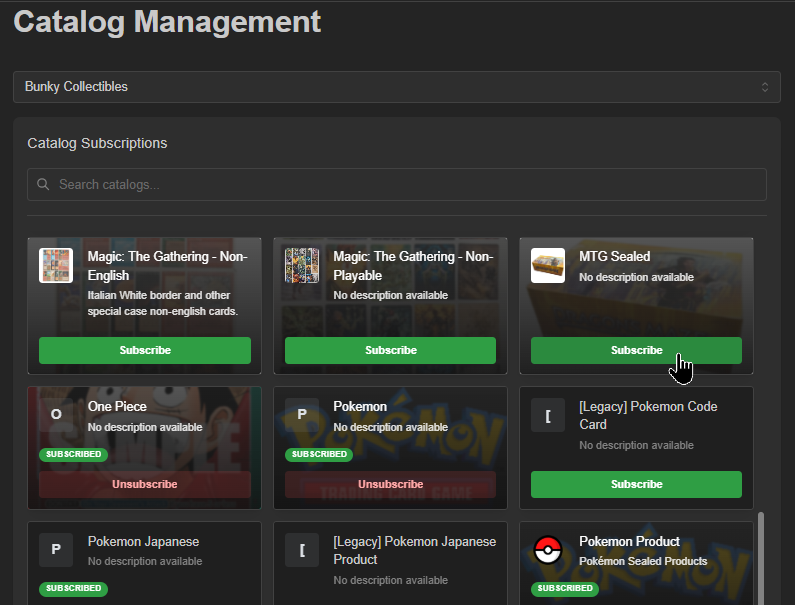
Navigate to Menu > Catalog > Catalog
Catalog Management page
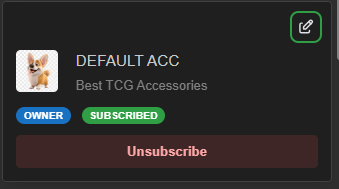
- Choose a game or brand's products to gain access to by clicking 'Subscribe' for each product line you want displayed and browsable in the system, point of sale, and your webstore.
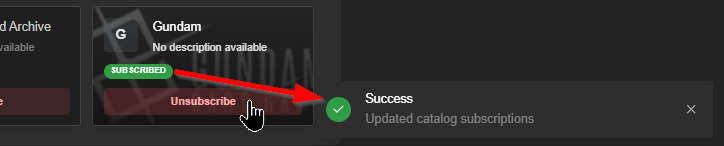
Important: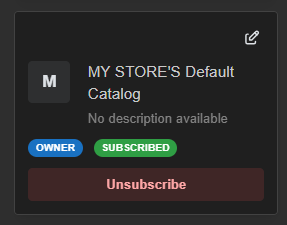 Your store also has a catalog!
It must remain subscribed to for product creation and sales of created product
Hint:
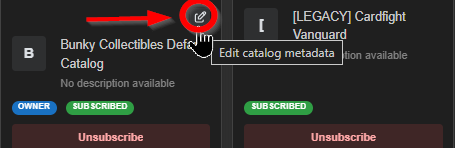
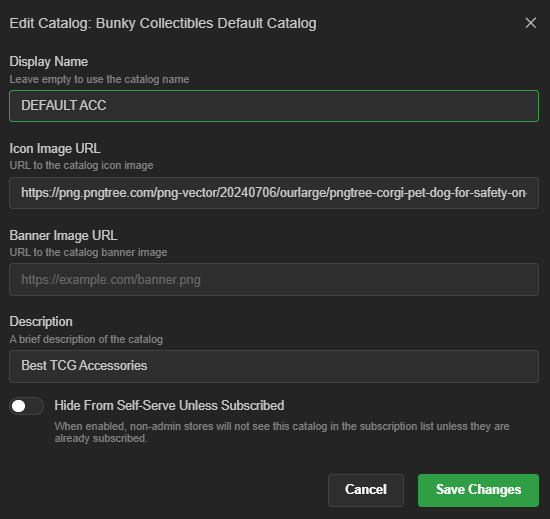
You may update your subscriptions any time; effects are immediate - (optional) Edit an owned (i.e. your store's) catalog's metadata by clicking the pen icon next to corresponding catalog name
Was this article helpful?
That’s Great!
Thank you for your feedback
Sorry! We couldn't be helpful
Thank you for your feedback
Feedback sent
We appreciate your effort and will try to fix the article