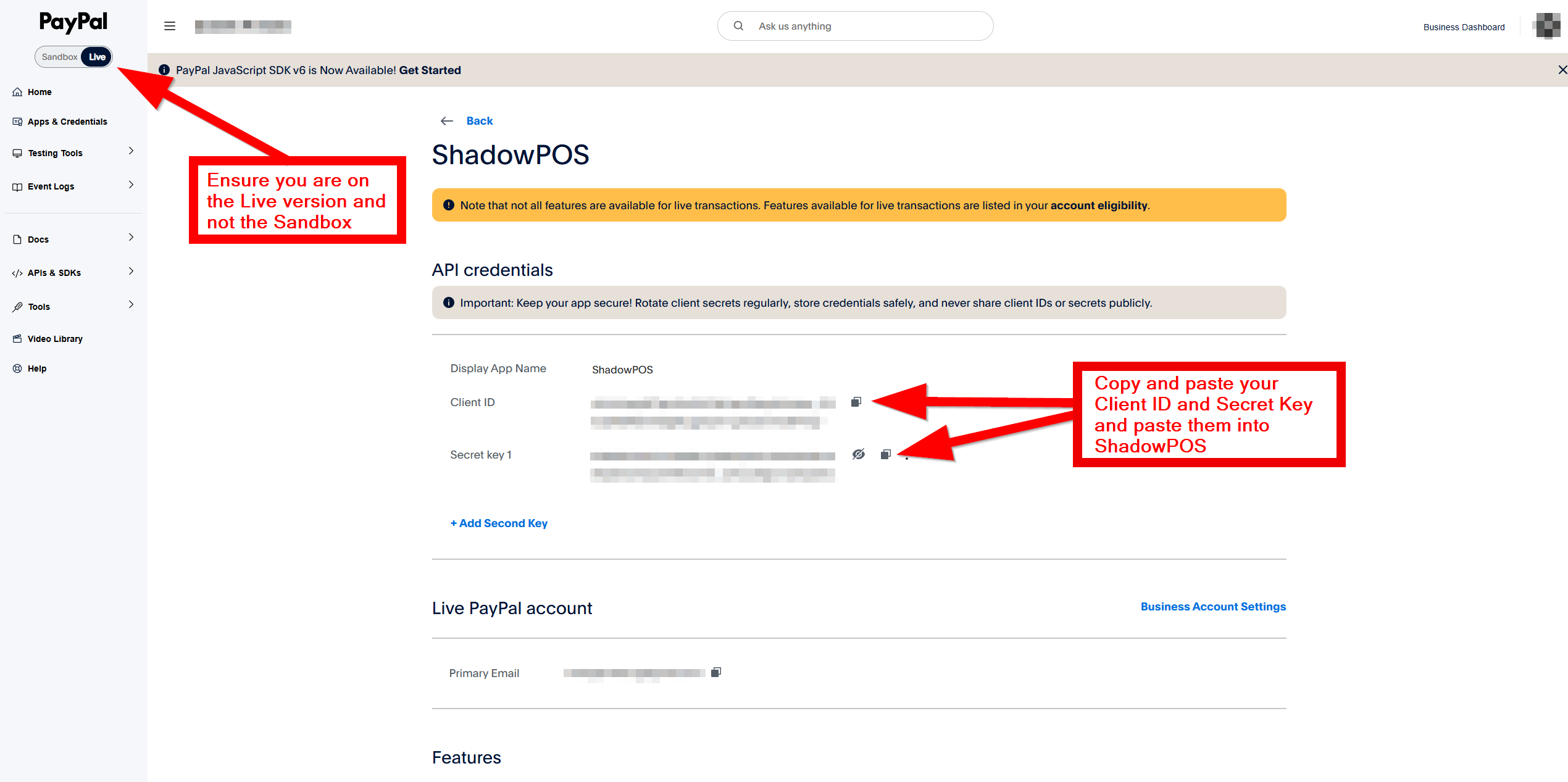
First you'll need to obtain your PayPal API credentials; please log in to your PayPal account in a new window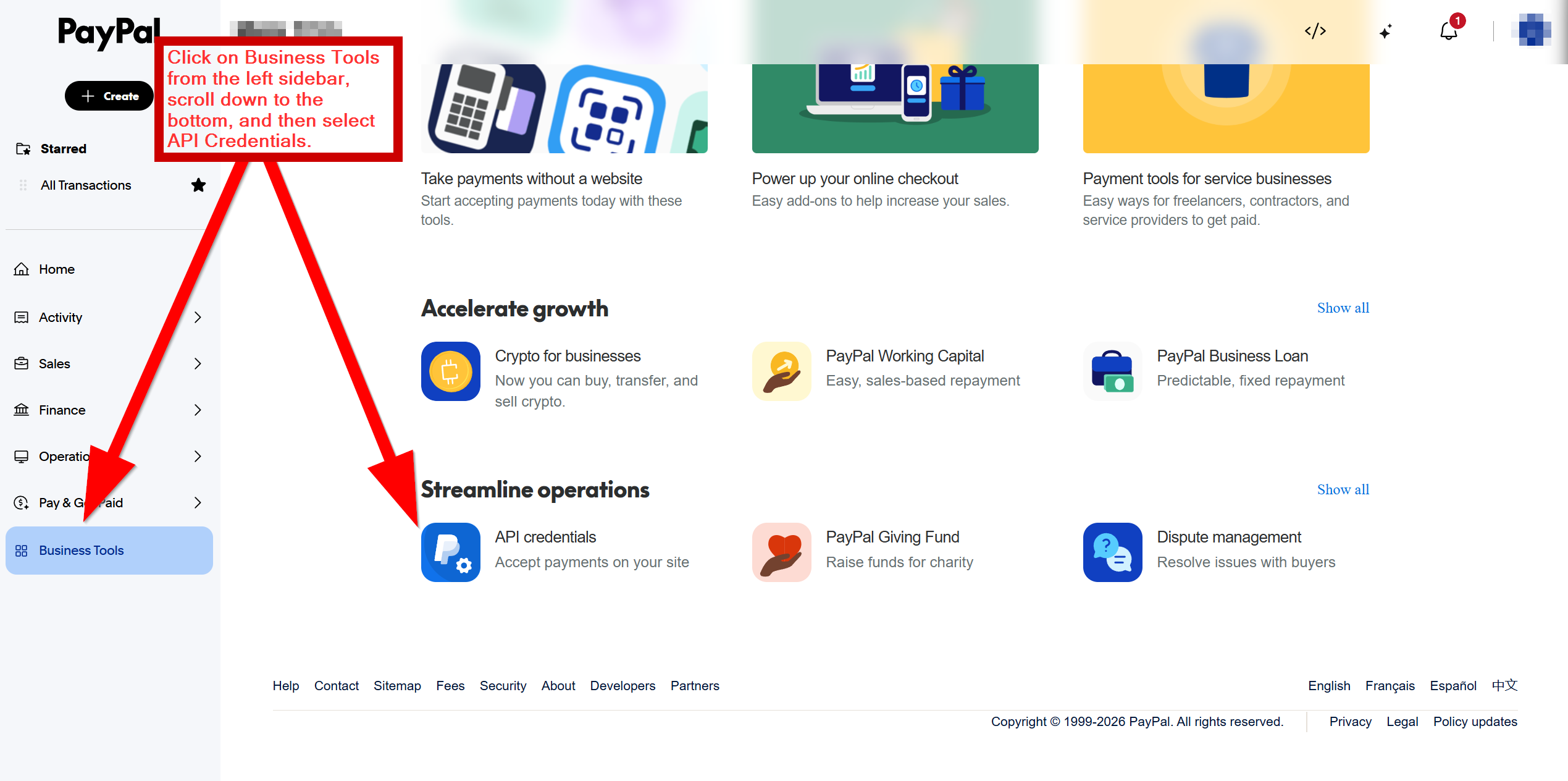
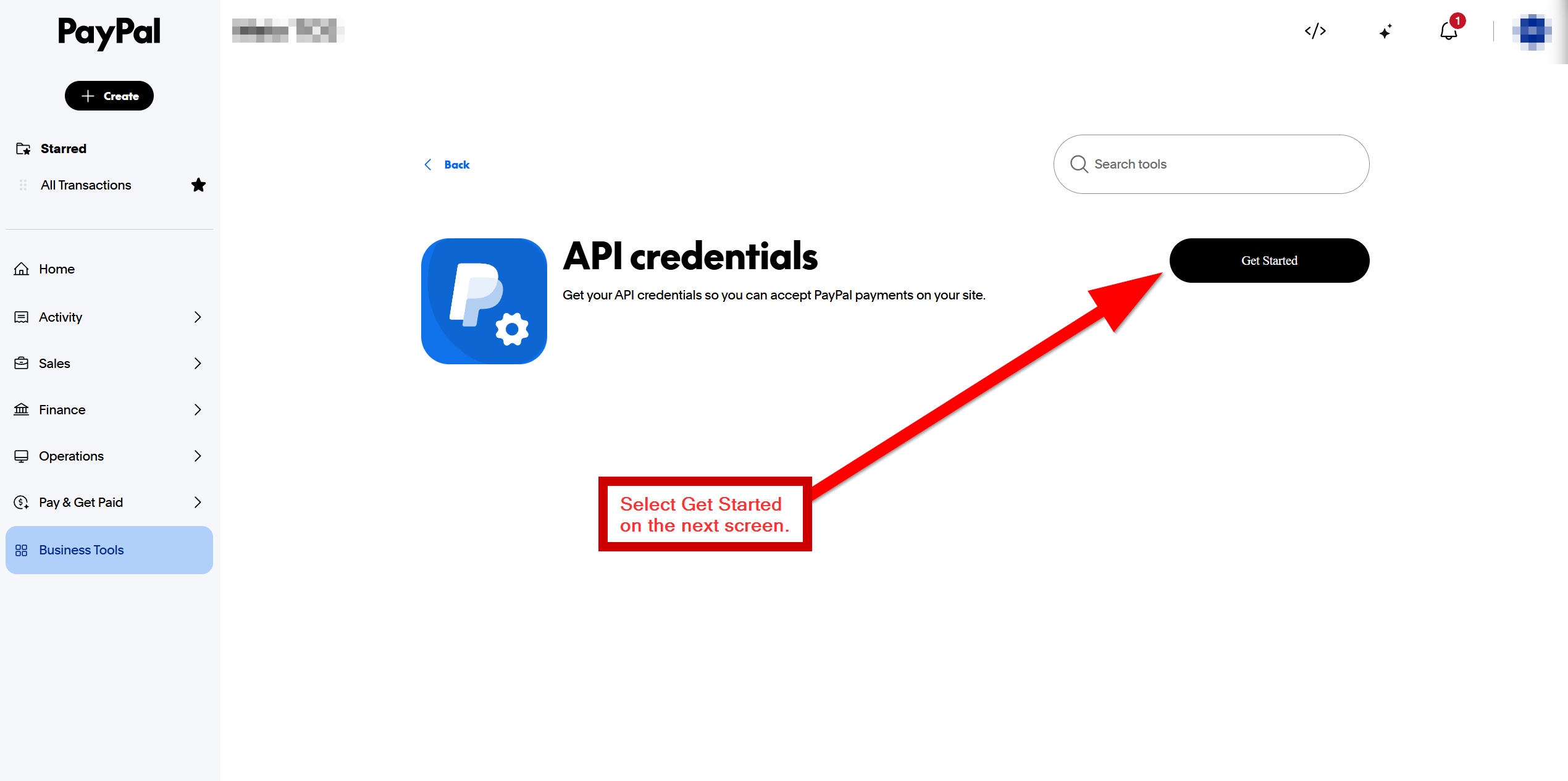
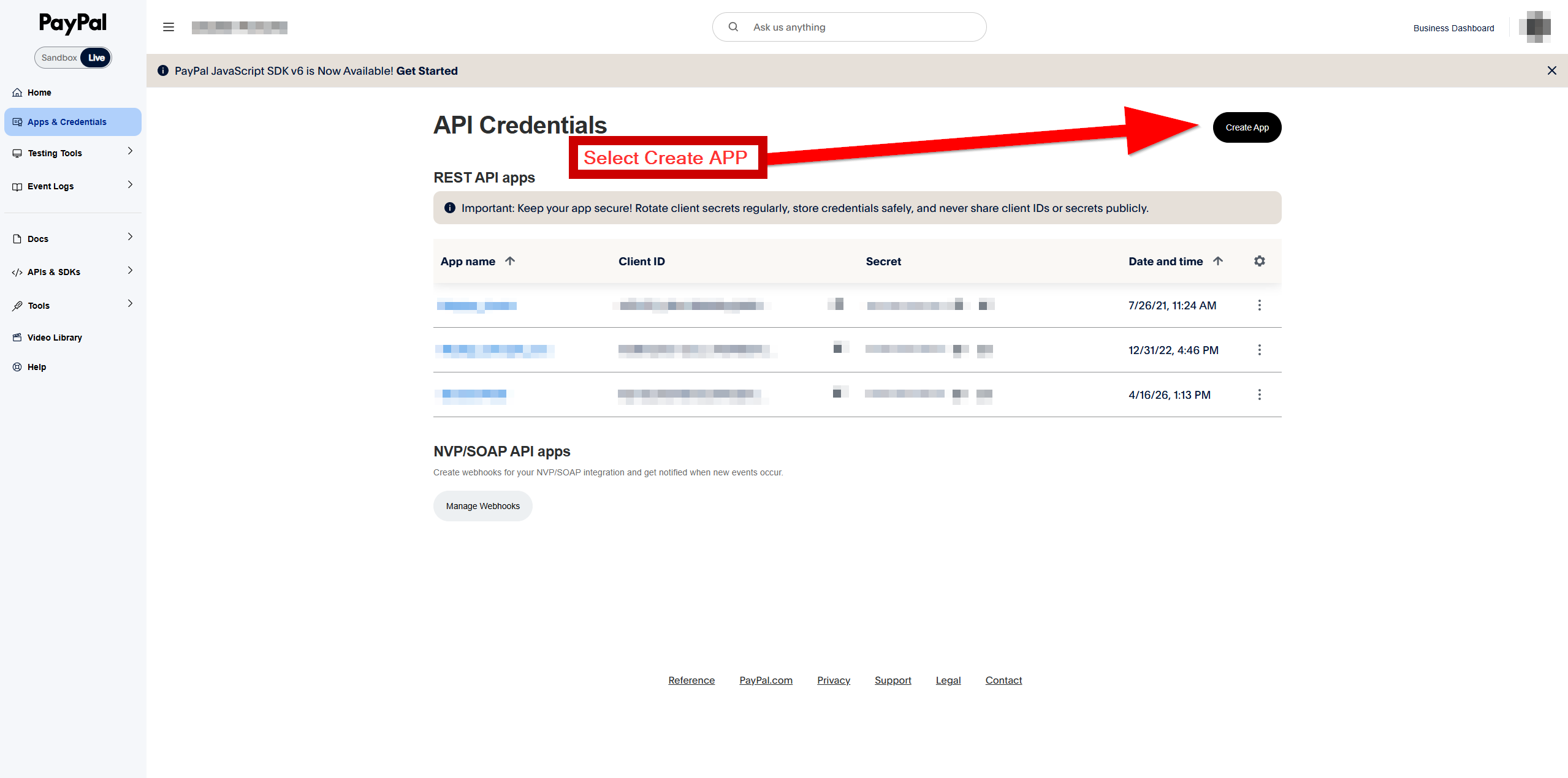
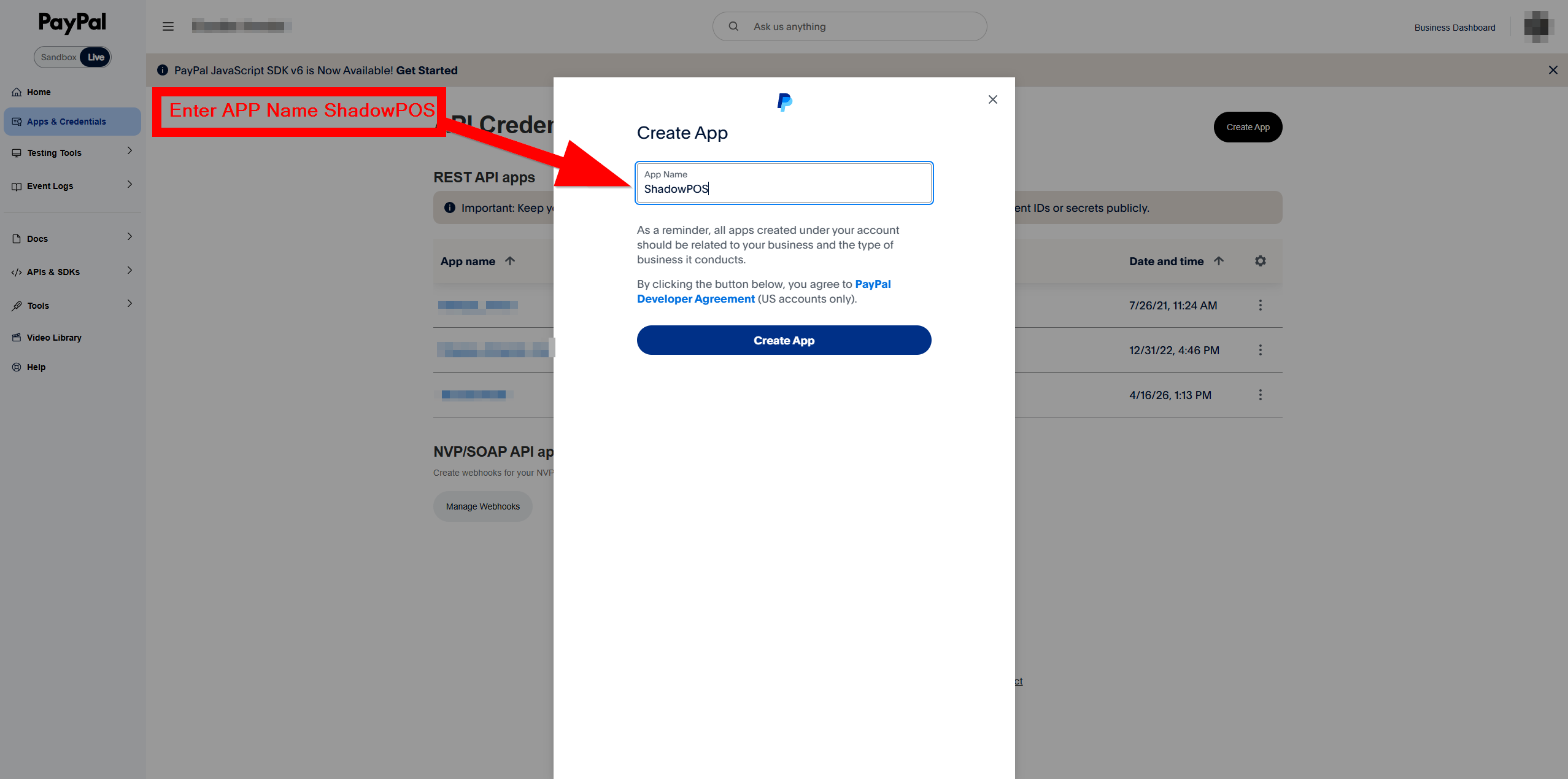
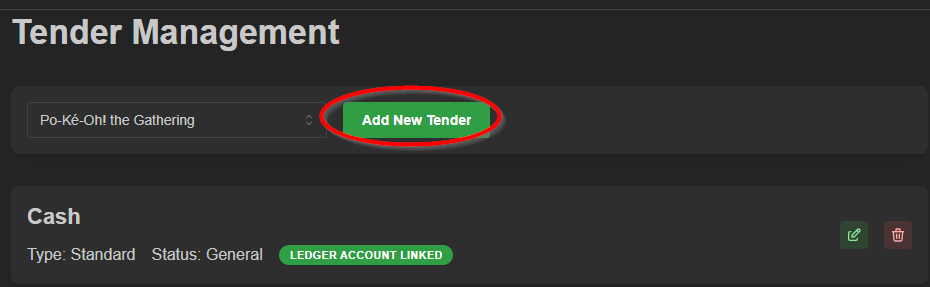
Back in ShadowPOS HQ, Visit Settings > Tender Management, and select Add a new tender
Choose PayPal from the Integrated Payment Type dropdown selector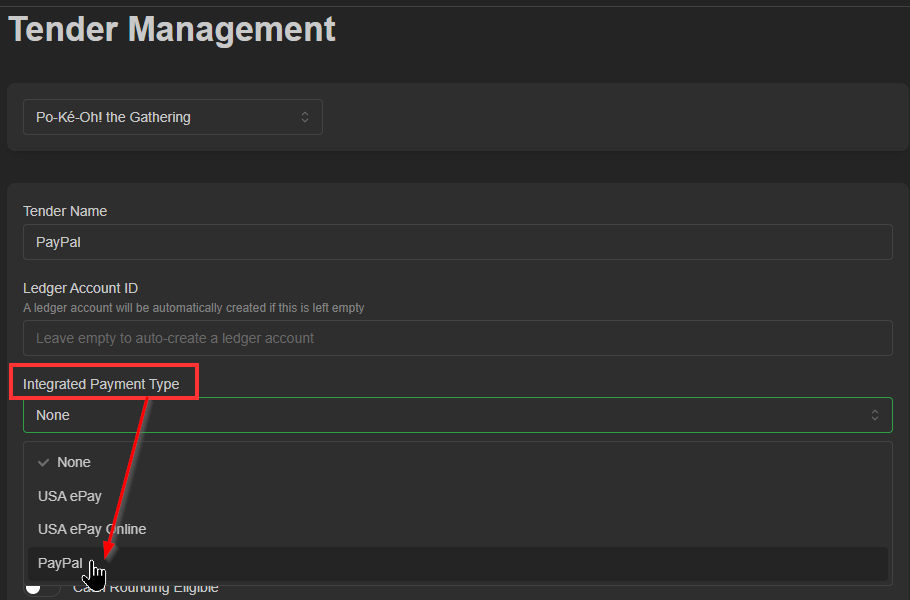
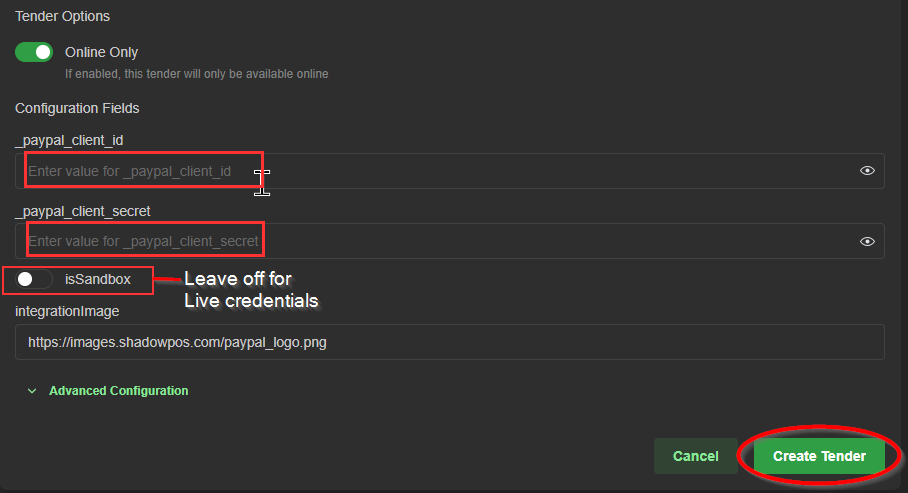
Enter your live credentials here. Don't forget to click Create Tender to save your new tender.
Visit Settings > Till Management
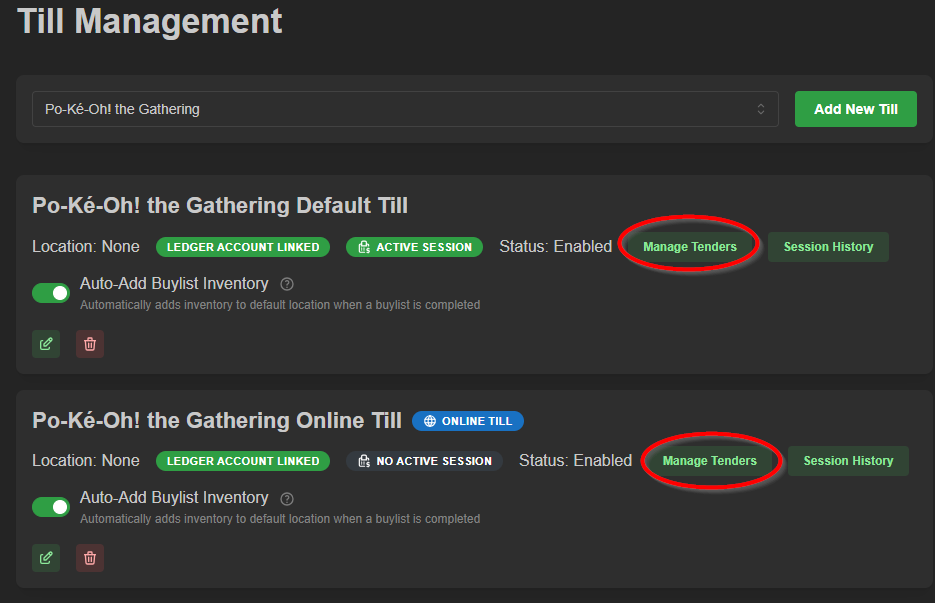
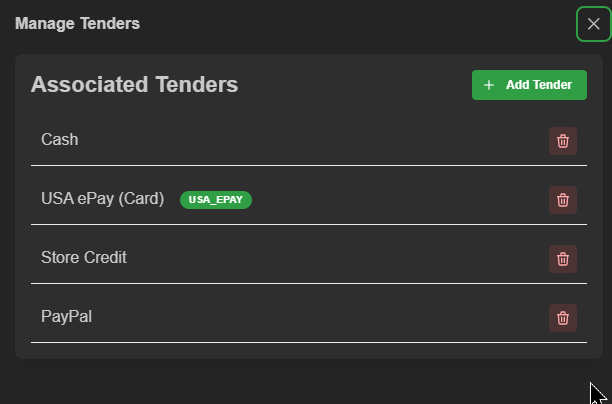
Select Manage Tenders on your online till
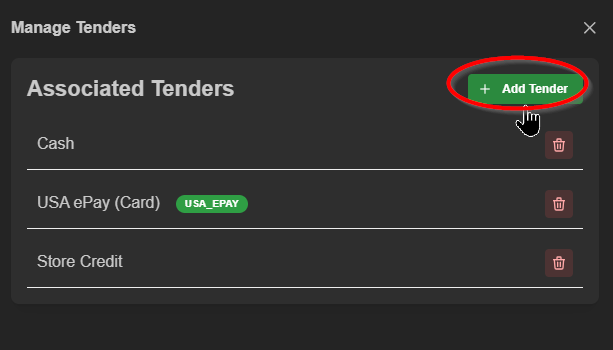
and click the +Add Tender button
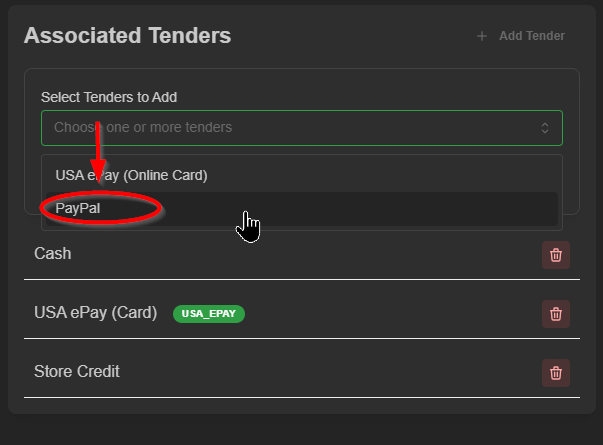
Select PayPal from the dropdown list
and Add to Till
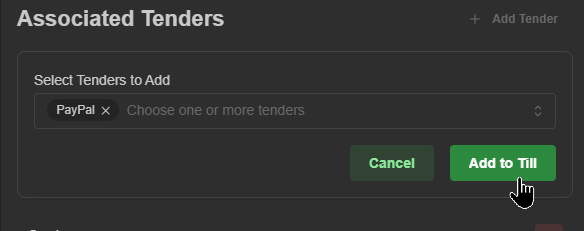
Paypal is ready to be accepted through your webstore!
Note:
If you are adding the tender to an active session, you may need to close and reopen that till or refresh the point of sale page for the option to become visible in the checkout screen.
Was this article helpful?
That’s Great!
Thank you for your feedback
Sorry! We couldn't be helpful
Thank you for your feedback
Feedback sent
We appreciate your effort and will try to fix the article