Cash rounding lets the point of sale keep the cash portion of a sale on a set increment. To enable cash rounding for your store, you will need to configure and enable the policy first, then enable it on a per-tender basis. Cash rounding can't be applied on a per-till basis.
Visit Settings menu > Settings > Cash Rounding Policy
ShadowPOS rounds the eligible cash remainder, not the full order total.
- Non-cash tenders stay at their entered amounts
- The cash portion is adjusted to the configured increment
- The rounding difference posts to the Tender Rounding ledger account
Policy options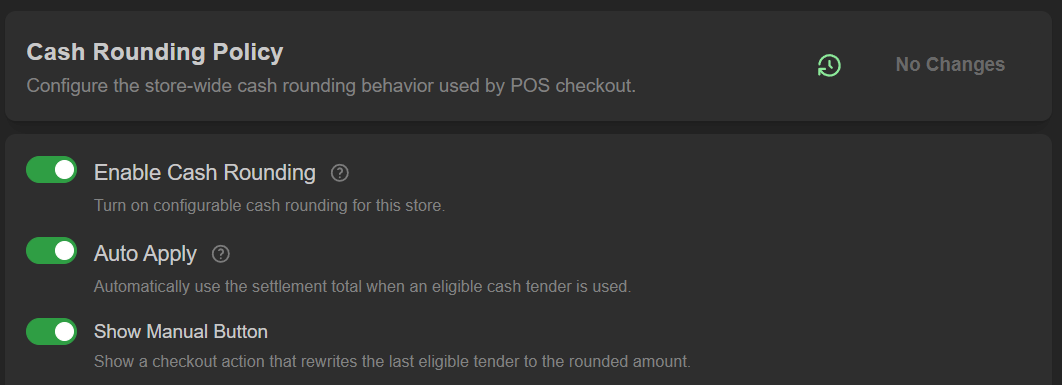 Policy option toggles:
- Enable/disable: Turn on/off configurable cash rounding for this store
Only tenders flagged as cash rounding eligible can activate the policy - Auto Apply: Automatically use the settlement total when an eligible cash tender is used
Disable this if cashiers should apply rounding manually at checkout - Show Manual Button: Show or disable a checkout action that rewrites the last eligible tender to the rounded amount
Strategy options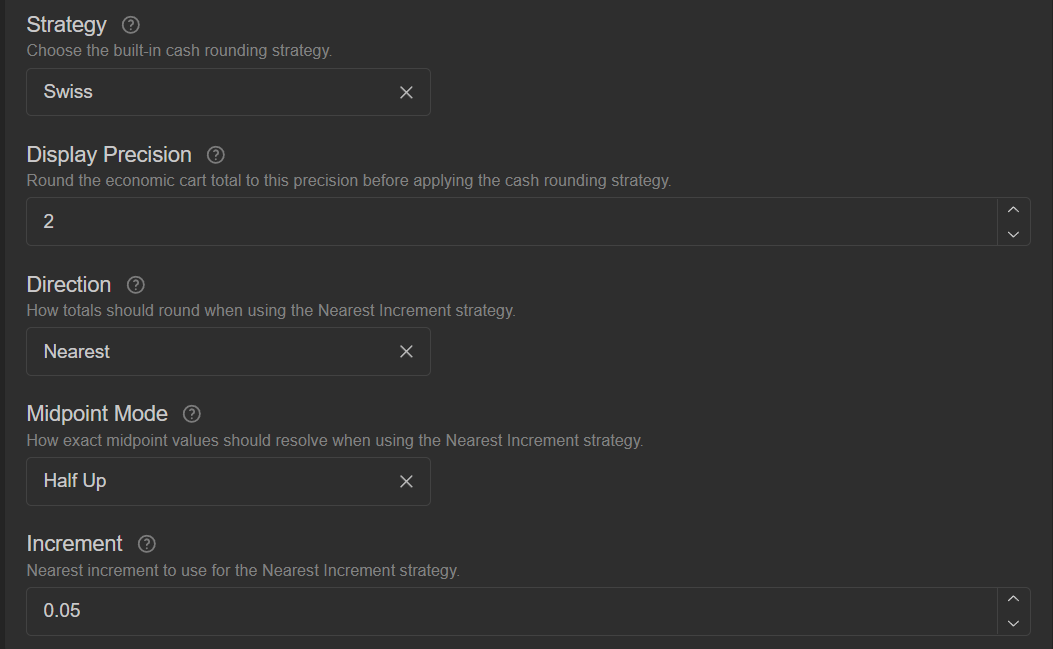
Strategy options:
- Strategy: Choose between 'Swiss' and 'Nearest Increment'
Note: 'Swiss' rounding is a built-in nearest-0.05 strategy.
Choose 'Nearest Increment' if you want to choose other step sizes - Display Precision: This rounds the economic cart total to this precisionbefore applying the cash rounding strategy
For standard currencies, this should remain at 2 - Direction: Choose between 'Nearest', 'Up', or 'Down'
This is how totals should round when using the Nearest Increment strategy
'Nearest' uses the closest increment, while 'Up' and 'Down' use mathematical ceiling and floor behavior - Midpoint Mode: This is how exact midpoint values should resolve when using the 'Nearest Increment' strategy, and only matters when the amount is exactly between two increments
options include: Half Up, Half Down, Half Even, Half Away from Zero, Half Toward Zero - Increment: This is the nearest increment to use for the 'Nearest Increment' strategy
Caution: 'Swiss' rounding uses 0.05 automatically, regardless of this field's value
Save Changes to update policy immediately
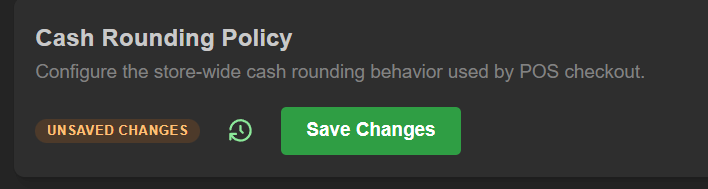
Enabling the policy for eligible tenders:
Visit Settings > Tenders and choose an eligible tender If eligible, the cash rounding toggle will be available to activate
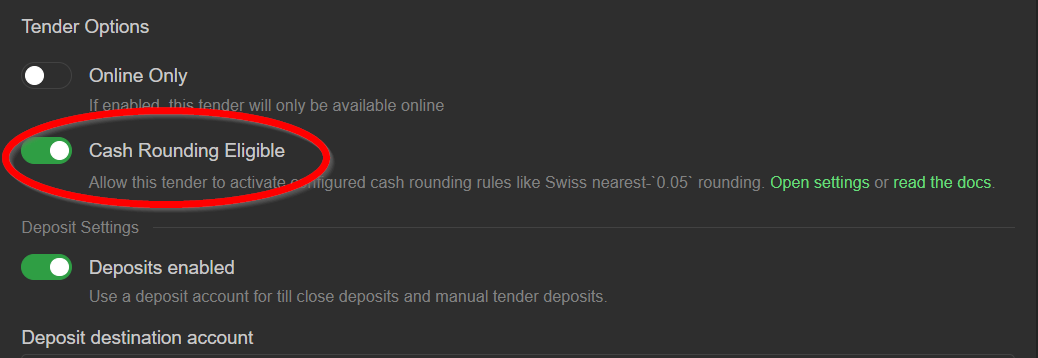
The policy is now be enabled.
Rounding in action:
Once 'Quick Pay' is selected in the point of sale, you will see the rounding reflected in the checkout
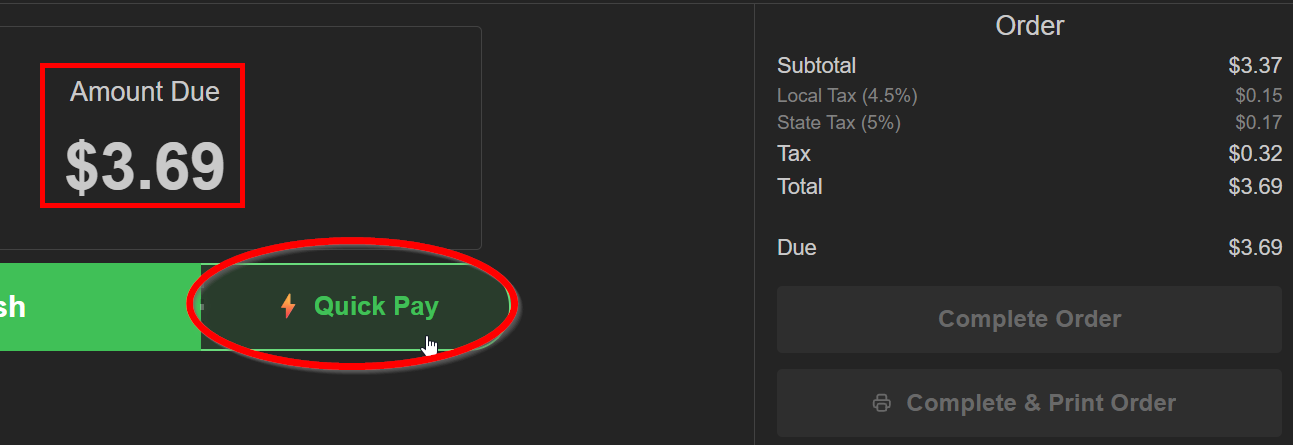 Based on the strategy configured, we see the total rounded up as expected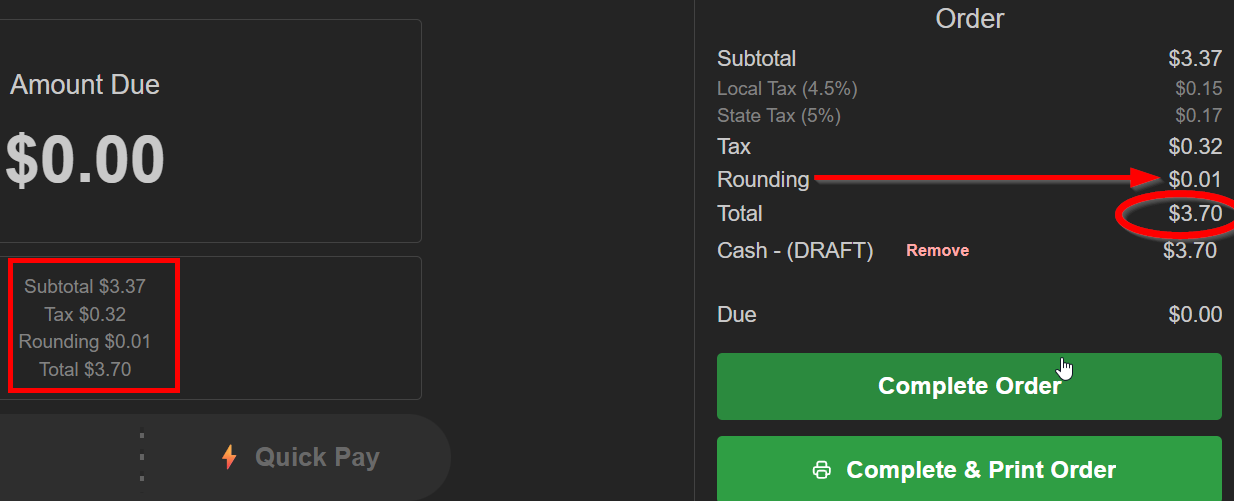
Was this article helpful?
That’s Great!
Thank you for your feedback
Sorry! We couldn't be helpful
Thank you for your feedback
Feedback sent
We appreciate your effort and will try to fix the article